
Start video annotation
in your own environment.
FramePin is a self-hosted video annotation tool for computer vision teams that need to review long videos, align decisions across reviewers, and handle sensitive footage with more control. It makes it easier to evaluate polygon tracking, collaborative review, and rollout planning in your own environment before broader deployment.
Why FramePin
What matters in evaluation is not only feature count, but whether the workflow fits operational constraints, review reality, and deployment planning.
Evaluate in your own environment
Because FramePin is designed for self-hosted evaluation, teams can test video annotation workflows even when footage is hard to move into an external SaaS environment.
Keep review workflows easier to align
Long videos become easier to review when teams can keep comments, decisions, and frame-level context closer to the work itself.
Move from evaluation to rollout
The Community Edition gives teams a practical starting point before they move into deployment planning, commercial discussion, or tailored support.
See the core workflow
These examples focus on the review flow and automatic tracking that teams usually want to verify first in a video annotation tool.
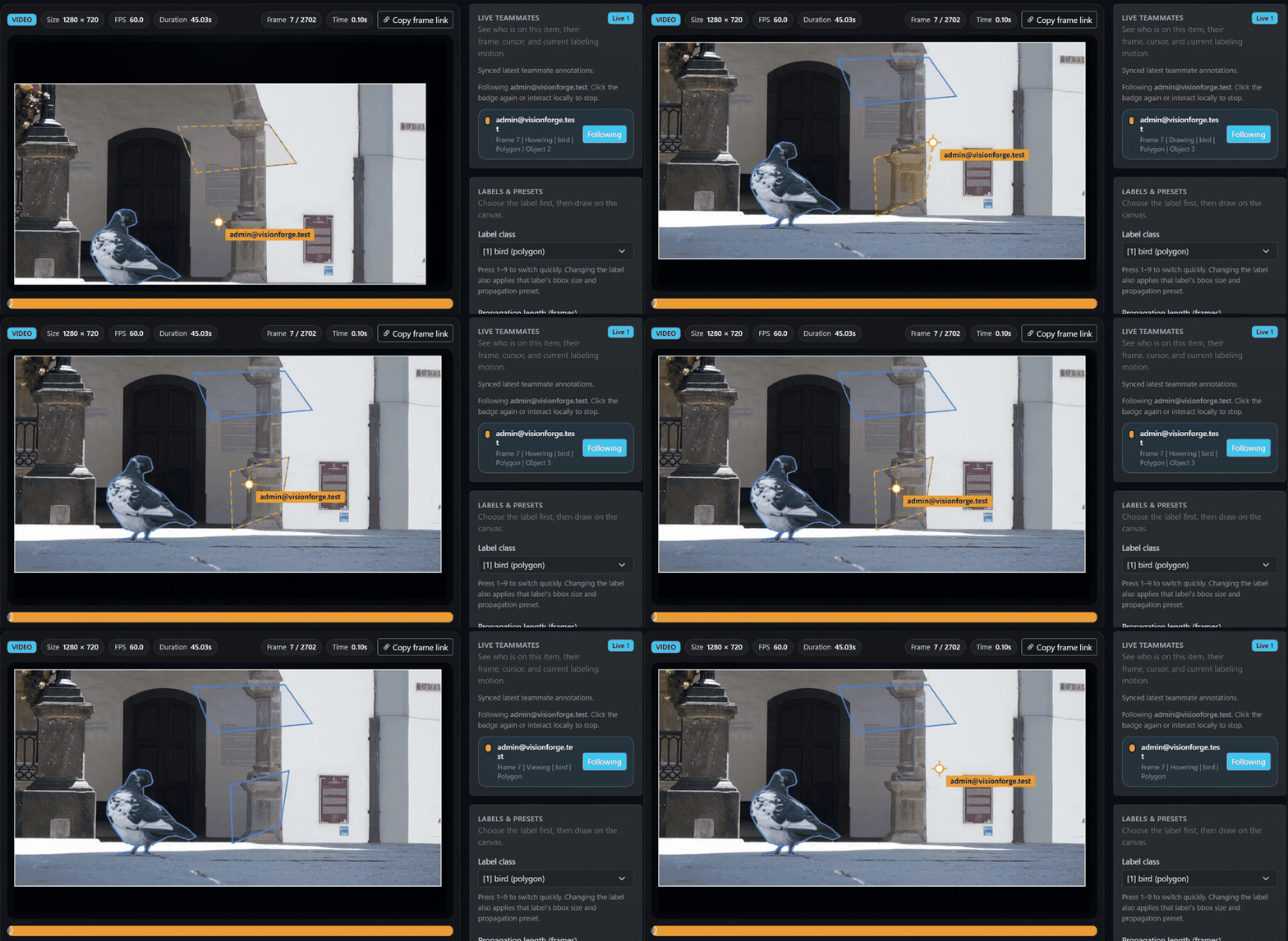
Review the same video with teammates
Teams can look at the same footage, keep review context closer together, and reduce decision drift when multiple reviewers need to evaluate the same scene.
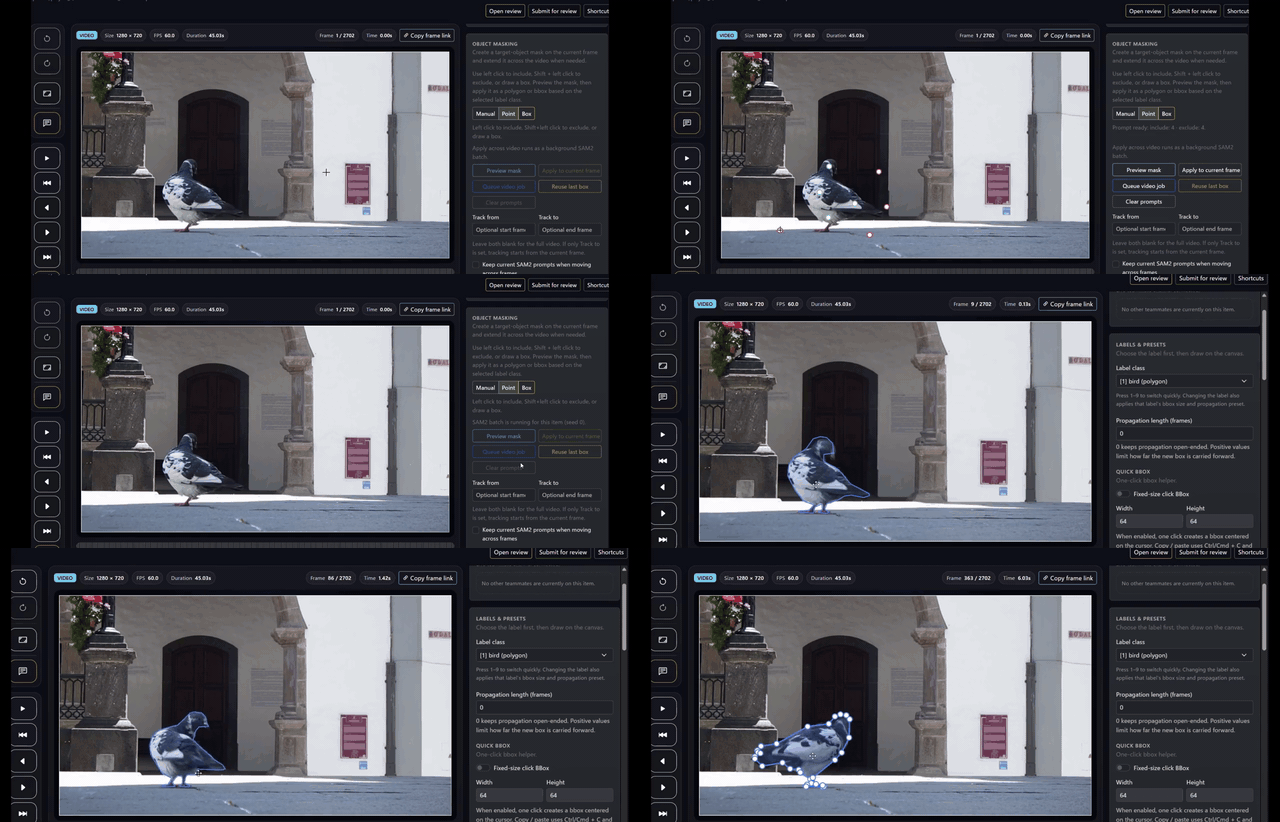
Track polygons across a full video
Starting from an initial prompt, teams can propagate polygons across the clip more efficiently and reduce repetitive manual work on long video sequences.
Teams that benefit most
FramePin is a strong fit for teams that care not only about labeling, but also about video review quality, operational constraints, and what happens after evaluation.
Manufacturing and inspection
Teams that need to review continuous footage, reduce rework, and align inspection judgments across reviewers can evaluate workflows more realistically.
Logistics and field operations
Use cases that involve multiple stakeholders, event review, and operational improvement can keep frame-level context easier to share.
Security-conscious environments
Teams that cannot easily place footage in an external SaaS environment can evaluate a self-hosted video annotation option from the start.
AI product evaluation and rollout
FramePin fits teams that want to connect evaluation with deployment planning, commercial discussion, and follow-on implementation decisions.
What to compare first
When comparing FramePin with tools such as CVAT or Label Studio, it is often faster to start with operating fit, review workflow, and deployment reality instead of a long feature matrix.
Test real video workflows
Short samples are not enough. Reviewing the kind of long footage your team actually handles makes the operational difference easier to see.
Check whether deployment stays realistic
Data handling, access control, and rollout conditions matter early, especially for teams evaluating self-hosted computer vision infrastructure.
Make the next step clear
Evaluation should lead somewhere concrete, whether that means trying the Community Edition, planning deployment, or discussing commercial support.
Start with contact or the Community Edition.
FramePin is built to make self-hosted video annotation easier to evaluate first and easier to carry into deployment planning after that. If you want to try the Community Edition or talk through rollout conditions, we can help from there.