FramePin

Self-hosted video annotation,
on infrastructure you control.

FramePin is a video annotation tool you deploy on your own infrastructure. It is built for teams whose footage cannot be uploaded to a hosted annotation service — medical, defence, industrial, insurance and security video that has to stay inside your own network. You get long-video review, polygon auto-tracking across frames, and collaborative labelling, without the footage ever leaving your environment.

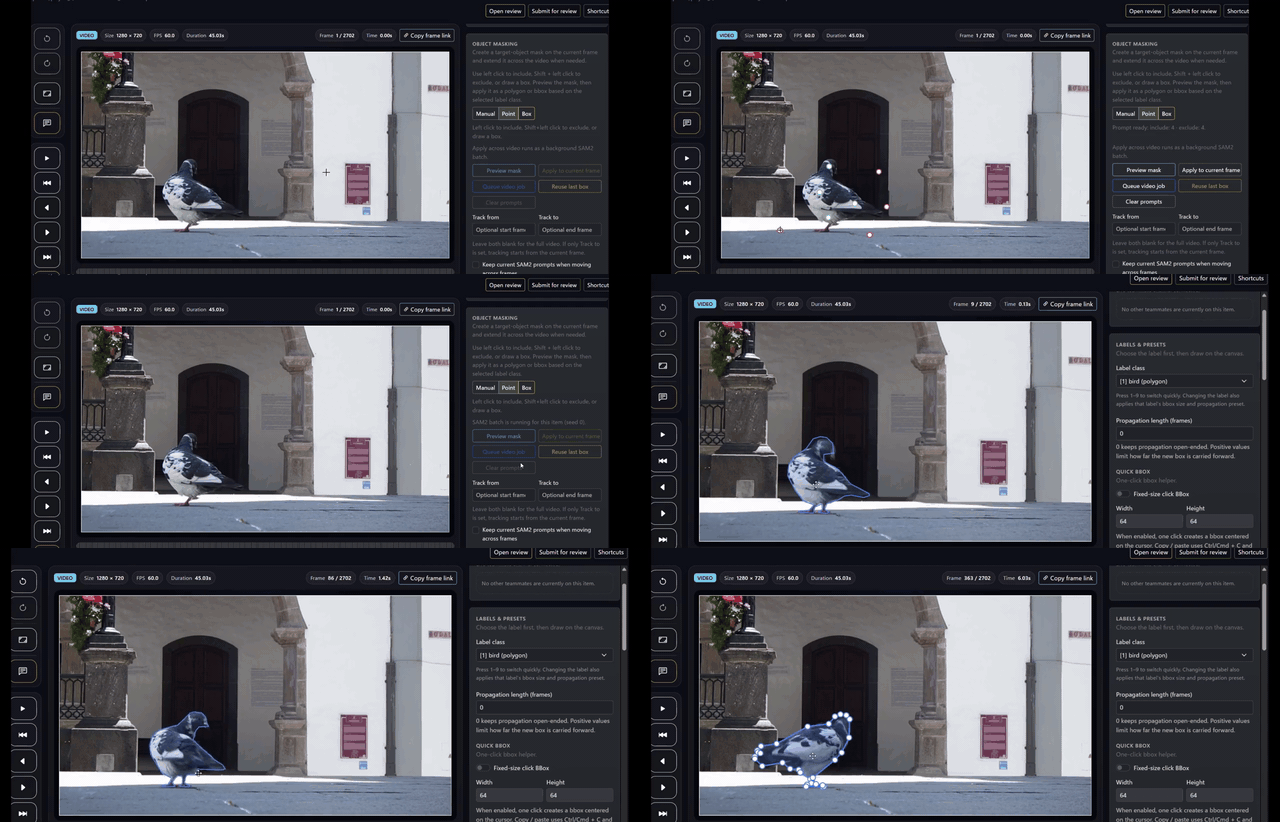
FramePin demo showing polygon-based video annotation on a tracked object
Key strengths

Built for footage that cannot leave your network

Most annotation platforms assume you can upload your video. When you cannot, that single constraint rules out most of the market before any feature comparison starts. FramePin begins from the opposite assumption.

The footage stays on your infrastructure

FramePin is designed to be self-hosted. You deploy it inside your own network, and the video you annotate is stored and processed there. There is no upload step to an outside service, so data residency, retention and access control stay questions your own team answers.

Data-residency answers you can actually give

Security review is usually where hosted annotation tools fail. When the tool runs on your hardware, the answer to "where does this video live and who can reach it" is your existing network policy — not a third party's sub-processor list. That shortens the conversation with legal and security instead of ending it.

Made for long footage, not short clips

Real operational video is hours long and mostly uneventful. FramePin is built around reviewing that kind of footage: moving through a long recording, marking the moments that matter, and keeping track of what was checked and what was not.

Polygon tracking across frames

Start by drawing a polygon on the object once. FramePin propagates it across the following frames instead of asking a reviewer to redraw it. On long sequences this is the difference between labelling a clip and labelling a shift.

Reviewers work on the same video together

Several people can review the same footage collaboratively, which keeps labelling judgment from becoming dependent on one person. When a second reviewer can see the same frame and the same annotation, edge-case decisions get settled once rather than re-litigated per annotator.

Start free, then talk about the rollout

The Community Edition is on GitHub, so a team can stand it up and try it on real footage without waiting on a procurement cycle. When it holds up, we can talk about deploying it properly and supporting it.

Product view

What the workflow actually looks like

Two things decide whether a video annotation tool is usable on long footage: whether several reviewers can work the same video without colliding, and whether the tool can carry a polygon forward instead of making someone redraw it.

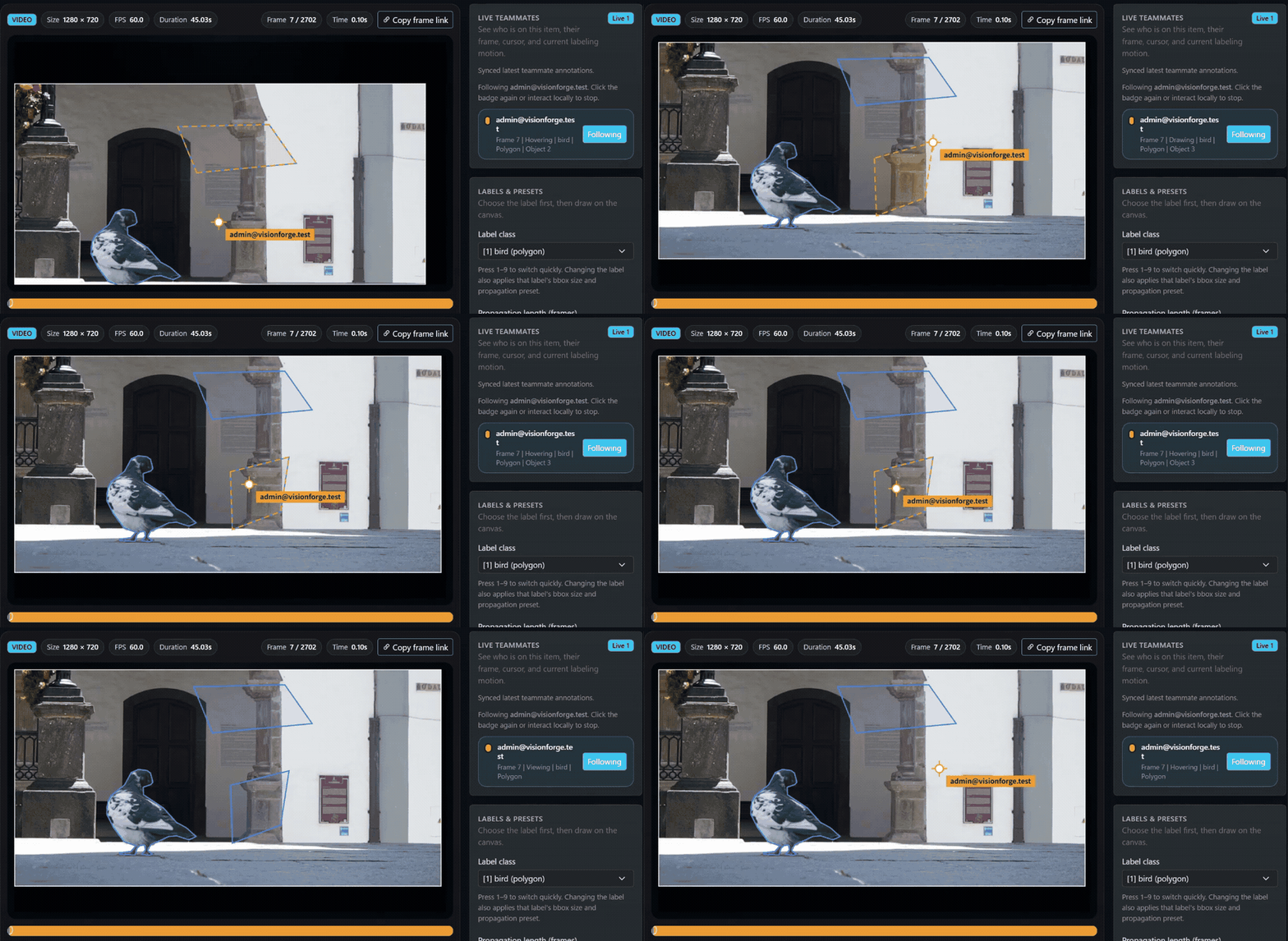
FramePin collaboration demo showing two teammates reviewing the same video item

Collaborative labelling on one video

Reviewers work the same footage together instead of splitting it into private copies and reconciling later. That matters most where the label is a judgment call — a defect, an incident, a near-miss — because the disagreement surfaces while both people are looking at the frame, not weeks later in a model evaluation.

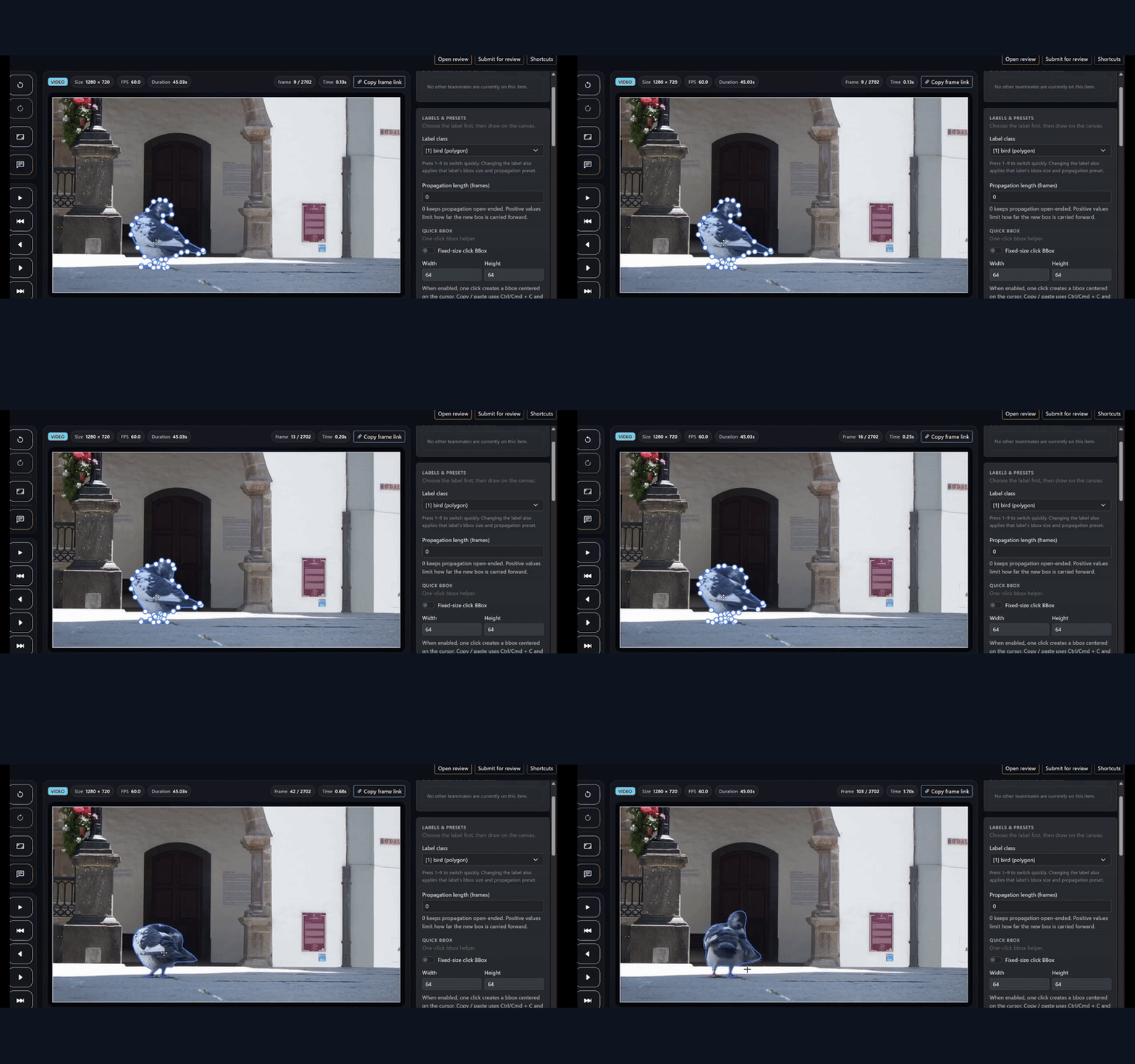
FramePin demo showing polygon tracking across a full video clip

Polygon auto-tracking through the clip

You mark the object once and FramePin follows it through the rest of the video, so reviewers correct a tracked polygon instead of drawing a new one every frame. On hours of footage this is what makes segmentation-quality labels affordable at all — frame-by-frame polygon work does not scale past a demo.

Best fit

Who this is for

FramePin fits teams that already know they need video annotation and have discovered that the hosted options are closed to them — because of a contract, a regulator, a customer clause, or plain internal policy.

Medical and clinical video

Procedure recordings and patient-identifiable footage that cannot be uploaded to a third-party platform, but still need consistent frame-level labelling for model development.

Defence and public safety

Programmes where the data classification, not the budget, decides the tool. If the footage cannot leave an accredited network, self-hosting is the only category that qualifies.

Industrial inspection and quality

Line and inspection video where the labels encode process know-how you do not want sitting on someone else's platform, and where defects are rare events buried in long recordings.

Insurance and claims review

Incident and damage footage tied to identifiable claimants, where multiple assessors need to reach the same judgment on the same frames and leave a record of why.

Security and surveillance operations

Continuous camera footage of staff, customers or restricted areas — the case where uploading to a hosted service is hardest to justify and hardest to get approved.

Logistics and airport operations

Long recordings of ramp, dock and yard activity reviewed by several stakeholders at once, where the point is to agree on what happened on the floor and feed it back into operations.

Regulated research

Work under data-use agreements or ethics approvals that specify where video may be stored and who may access it, which a hosted annotation service usually cannot satisfy on paper.

CV teams outgrowing a cloud annotation platform

Teams searching for a self-hosted CVAT alternative because the volume, the cost model, or a new customer contract has made a hosted platform unworkable, and who now need the annotation layer under their own control.

Evaluation lens

How to evaluate this properly

The honest way to compare self-hosted video annotation tools is to run them on your own footage, on your own infrastructure. A feature matrix will not tell you whether reviewing four hours of your video is bearable.

Deploy it inside your own network first

Stand up the Community Edition on your own infrastructure and confirm the data path before anything else. If the deployment model does not survive your security review, nothing else about the tool matters.

Use footage of the length you actually have

Test on a full recording, not a 30-second sample. Long-video review either holds up at operational length or it does not, and short clips hide exactly the problem you are trying to solve.

Test tracking on your hardest objects

Try polygon auto-tracking on the objects that deform, get occluded, or leave frame — not the clean ones. Where the tracking needs correction is the number that decides your real labelling throughput.

Put two reviewers on the same video

Have two people label the same footage collaboratively and see whether they converge. If your labelling is dependent on one person today, this is the step that shows you what that is costing.

Check who you talk to afterwards

Verification usually ends with a question the software cannot answer. Knowing there is a team on the other side to talk to about deployment and support is part of what you are evaluating.

Look past verification to operations

Who administers the instance, who onboards reviewers, how finished labels reach your training pipeline — these are worth deciding while you are still evaluating, not after.

Run it on your own infrastructure, then talk to us.

The Community Edition is on GitHub — deploy it inside your network and try it on the footage you actually cannot upload anywhere. When you want to talk about a production rollout, support, or adapting FramePin to how your reviewers work, talk to us. You do not need a finished specification to start the conversation.

Contact →