Re-keying by hand, every time
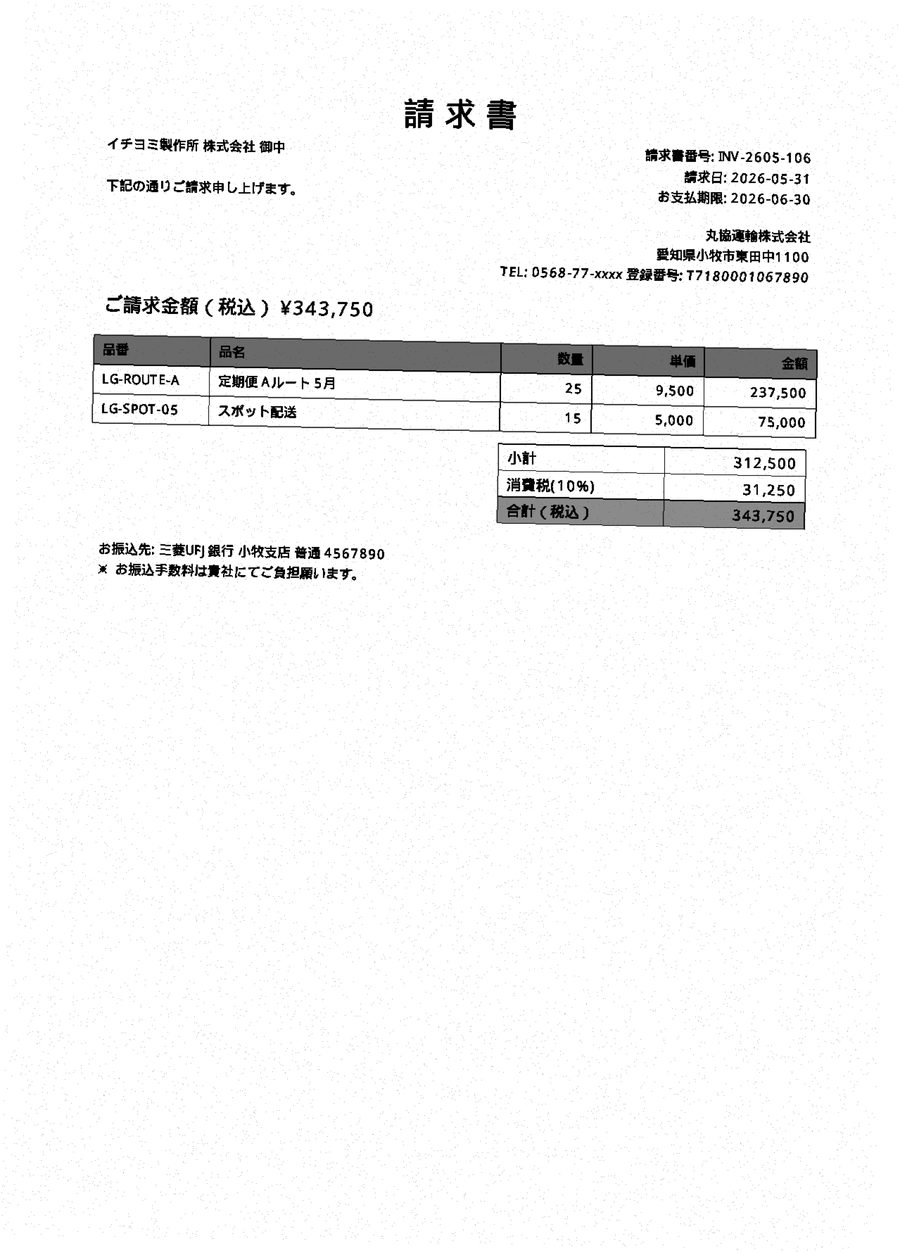
Invoices arrive in the supplier's format. Someone retypes them into yours, then totals them again.

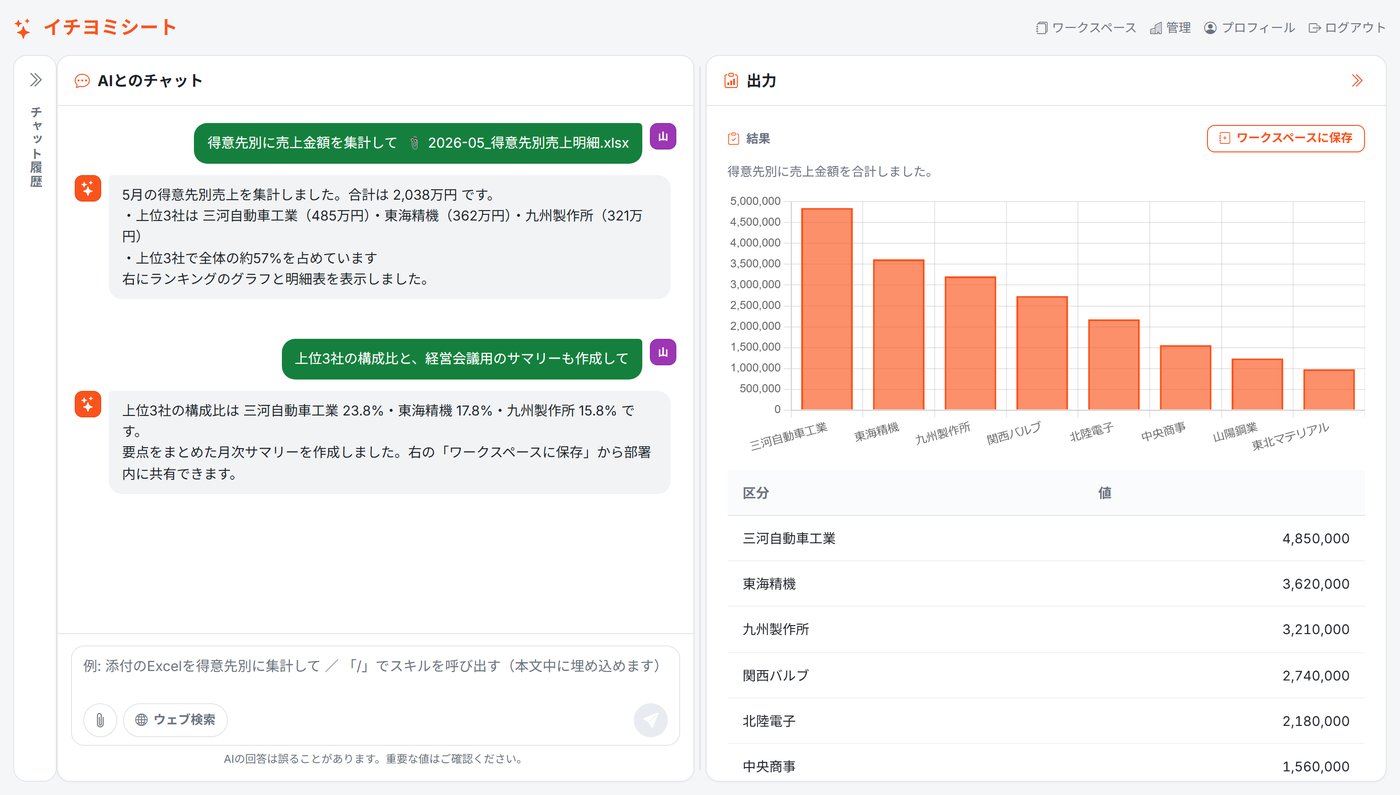
Your existing Excel and PDF files go in unchanged. Aggregation, the report and the draft email come out. Ask for what you need in chat — there is no new system to migrate to and no IT expertise required.
Most teams that tried AI ended up back at copy and paste. The work arrives as paper, scans, faxes and spreadsheets, and none of it lines up.
Invoices arrive in the supplier's format. Someone retypes them into yours, then totals them again.
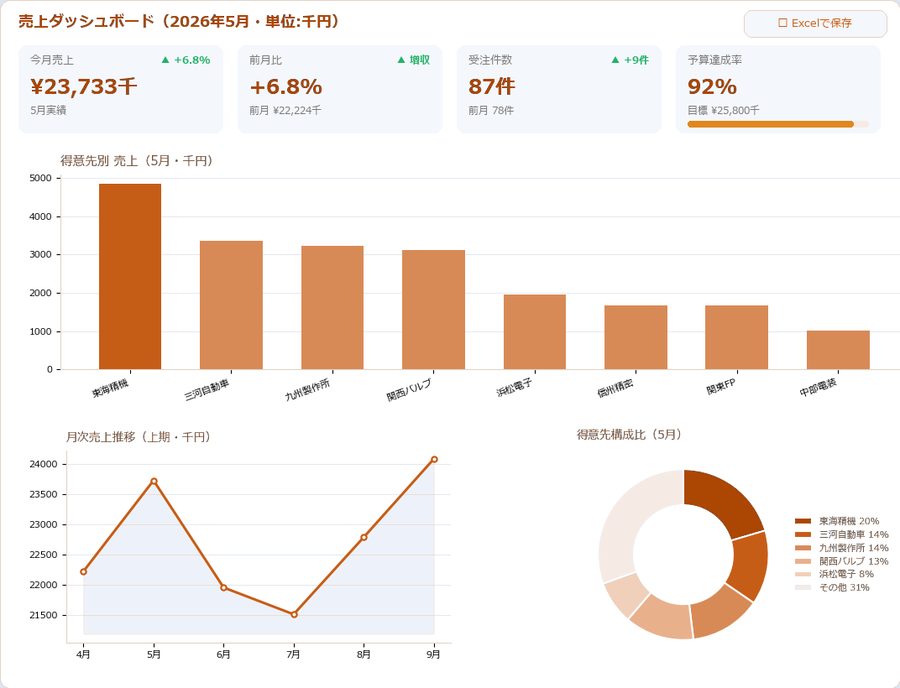
Raw data lands in Excel. Aggregating it, charting it and writing it up for the internal report is manual work, repeated monthly.
How the files are structured and where they live sits with one person. When they are away, the process stops.
An agent that takes your Excel and PDF files as they are and runs the whole chain — read, aggregate, report, draft the email.
Hand over the files as they are. English and Japanese documents both go in unchanged, and what comes back is ready to use.


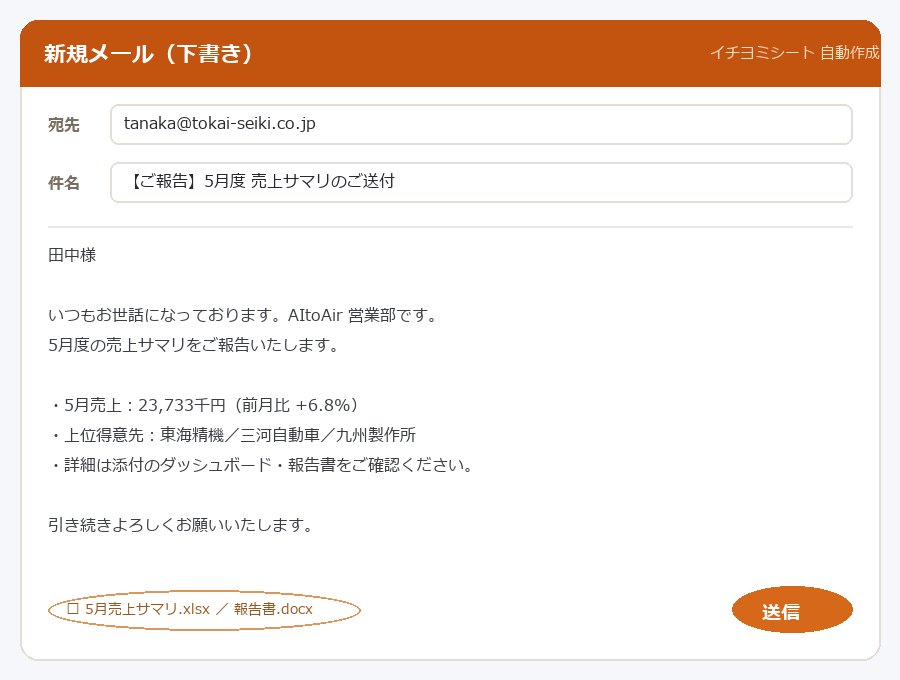
From reading the files to running the same job every month — without changing the spreadsheets you already have.
Totals by customer and by month, with the tables and charts built for you.
A monthly summary with charts, as a Word or PowerPoint draft.
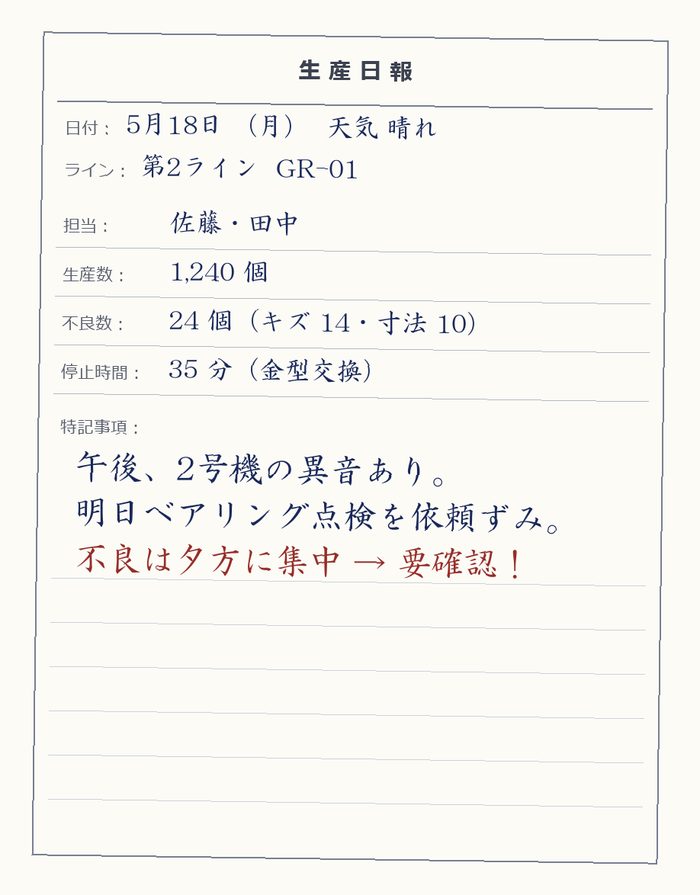
Excel, PDF, business cards, handwriting, faxes and scans.
Covering notes, requests and reporting emails, written for you to edit.
Teach it the procedure once. It runs the same way next month.
Mostly the administrative work around manufacturing and operations, but it fits any recurring process built on forms.
Duplicate POs, credit limits and delivery dates, checked automatically.
Catches double-counting and tax errors, and consolidates multiple PDFs into one totalled view.
Line-item data aggregated by line, defect rates surfaced, variance separated from drift.
How we approach production reporting →Cross-cutting summaries generated for you; contact details pulled from card images.
Scanned images go straight in and come back as data.
General-purpose chat AI is good at reasoning. Knowledge platforms are good at organising. Ichiyomi Sheet applies both to the spreadsheet work itself.
| Comparison | ChatGPT Web | Notion | Ichiyomi Sheet |
|---|---|---|---|
| Built for | General-purpose chat | A knowledge base | Automating and sharing spreadsheet work |
| Your existing Excel and PDFs | Usable as they are | Assumes migration | Used as they are |
| How far it automates | Generates text | Assists authoring | Aggregation through to a draft email |
Here, "knowledge base" means turning the procedures, master data and history around your spreadsheet work into structured data.
The question that matters is where the data ends up. It is not used for training, and it does not accumulate with an AI provider.
We use commercial APIs whose terms rule out using inputs or outputs to train models.
Your data is stored on Amazon's cloud servers to run the service, and nowhere else. It does not build up on the AI provider's side.
Traffic is encrypted in transit, and the deployment follows the security standards Amazon's cloud platform sets out.
The trial is the full product. Bring your real files — spreadsheets, invoice PDFs, business cards, handwritten forms — and see the whole chain run through to a drafted email. We can also walk you through it live and complete your security review questionnaire.
Contact us →For the full documentation — features, pricing and worked examples — request it below. We will send it within one business day. If there is background you want us to know, add it to the notes.